

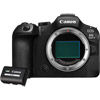
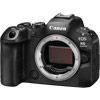
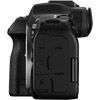
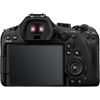
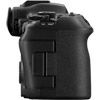
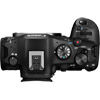
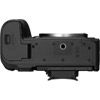
- Webcode: 487746 • Mfr: 7084C002/6537C001
- FREE SHIPPING Available
Product Highlights
- 32.5 MP CMOS Sensor
- Full-Frame Format
- 7K (6960x4640) @30 fps Video Recording
- ISO 100-64000 Expanded to 50-102400
- 40 fps Continuous Shooting
- CFexpress & SD UHS-II Memory Card
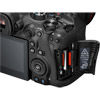
- 3" Vari-Angle LCD Touchscreen
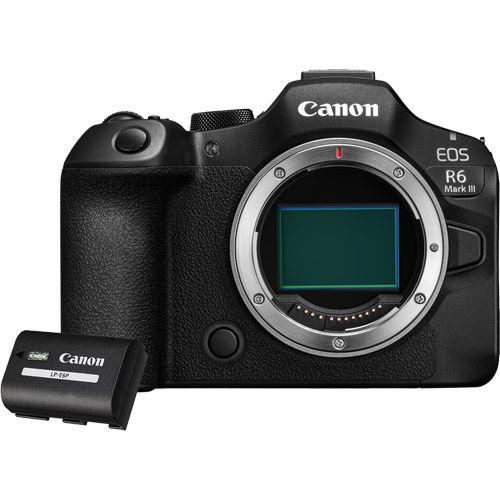
- Kit Includes R6 Mark III Camera & Battery
Kit Options:
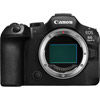
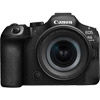
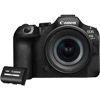
Canon R6 Mark III Mirrorless Camera with Additional LP-E6P Battery
Canon R6 Mark III Mirrorless Camera ...- Toronto Available for Order
- Ottawa Available for Order
- Mississauga Available for Order
- Calgary Available for Order
- Edmonton Available for Order
Lease this for: $138.57 Learn More
Overview
EOS R6 Mark III
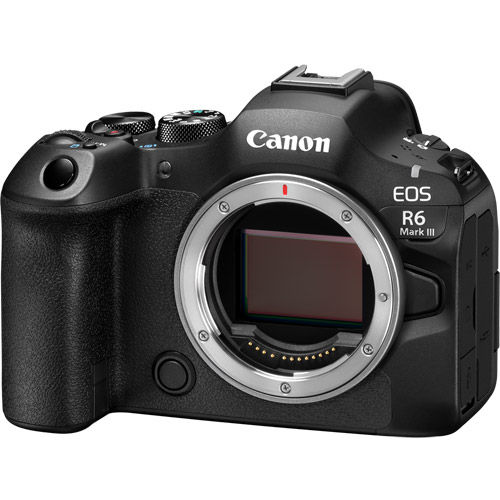
The EOS R6 Mark III camera is built to meet your demands and deliver stunning results. Capture 32.5MP stills with impressive detail at up to 40 fps and enjoy the comfort of pre-continuous shooting to aid you during those unpredictable moments. With Canon Log 2 colour, 4K 120p slow motion, high-quality oversampled 4K 60p, 7K RAW recording at 60p, and 7K 30p Open Gate recording for postproduction versatility, this is a hybrid camera you’ve been waiting for.
Key Features:
- 32.5MP full-frame CMOS Image Sensor, DIGIC X Image Processor.
- Up to 40-fps Photo Shooting with 20-frames of pre-continuous shooting.
- In-Body Image Stabilizer: up to 8.5 stops (center), and 7.5 stops (periphery) Coordinated Control IS shake correction.
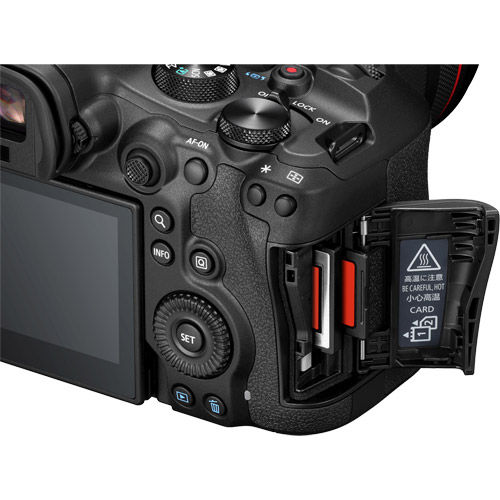
- Dual Card slots - (1) CFexpress Type B card, and (1) UHS II SD card.
- Internally recorded 7K video at up to 59.94p in 12-bit Canon RAW Light Movie.
- Open Gate recording at up to 7K 29.97p in 10-bit MP4 or 12-bit RAW.
- High-speed recording at up to 4K 119.8p, or DCI 2K/Full-HD 179.8p with audio, and S&F mode.
- Canon Log 2 video with up to 15+ stops of dynamic range, Canon Log 3, HLG, PQ.
- Waveform, False Colour and Zebra exposure aids. Improvements while recording video.
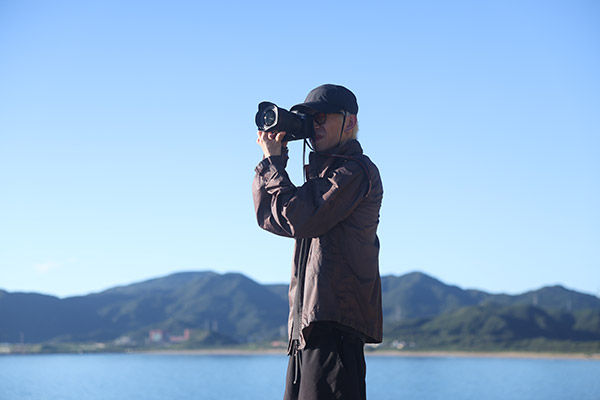
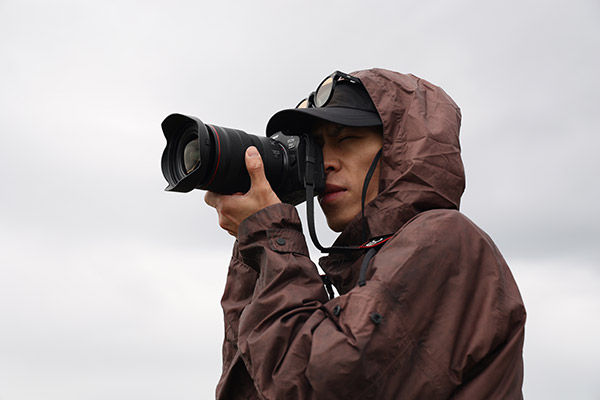
High Image Quality
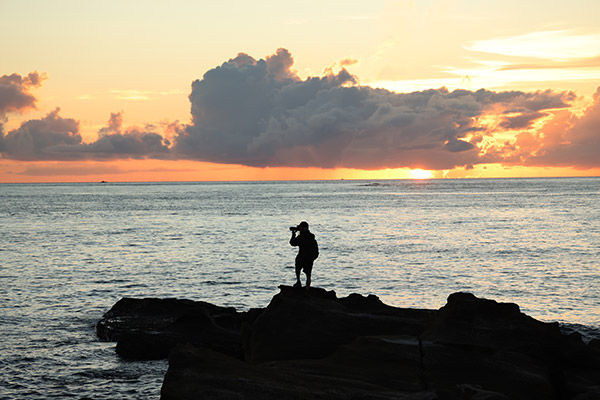
Featuring a 32.5MP Canon Developed and Designed Full-Frame CMOS Image Sensor
The EOS R6 Mark III camera is a full-frame digital mirrorless camera featuring a 32.5MP Canon-developed and designed CMOS Image Sensor. With a 34% increase in resolution compared to the EOS R6 Mark II, and a 61% increase in resolution when compared to the original EOS R6 image sensor, more resolution, cropping capability and print resolution await.
DIGIC X Image Processor
Powered by the DIGIC X Image Processor, enjoy high-performance operation with Dual Pixel CMOS AF II, Coordinated Stabilization with Optical and In-Body Image Stabilization, high-quality image processing, and high-resolution video functionality.
Up to 40-fps Photo Shooting and with 20-Frames of Pre-Continuous Shooting
Equipped with Mechanical, First Curtain Electronic, Fully Electronic Shutter Modes
-
Up to 40 Frames Per Second Photo Shooting
Capturing “the moment” of maximum action is critical and can be extremely difficult even for top professional photographers trying to capture imagery of unpredictable subjects – so the EOS R6 Mark III camera features up-to 40-frames per second continuous drive shooting when set to the H+ drive mode in Electronic Shutter.
-
20 Frames of Pre-Continuous Shooting
With Pre-continuous shooting enabled, an additional 20-frames are captured before you fully press the shutter button, allowing for even more versatility, and enabling new shooting workflows to ensure elusive and unpredictable subjects can be precisely captured up to half of a second before your reaction.
In-Body Image Stabilizer
With up to 8.5 stops of shake correction effect (center) and 7.5 stops at periphery
When capturing photos at lower shutter speeds, the In-Body Image Stabilizer system provides up to 8.5 stops of shake correction at the center and up to 7.5 stops at the periphery. This is crucial for non-image stabilized lenses, but also effective for optically image stabilized lenses with Coordinated Image Stabilization (In-Body + Lens optical stabilization).
Dual Pixel CMOS AF II
With People, Animal, Vehicle Detection, and Register People Priority
High-performance Subject Detection featuring People, Animals, and Vehicles detection, the EOS R6 Mark III camera provides impressive subject detection, and tracking capability for incredible precision and convenience.
Register People Priority
New to the 6-series is Register People Priority. Simply photograph a person and register them in-camera to prioritize them over other people in the scene. Up to 10 registered people can be set, and up to 10 registered people can be saved to each card.
Autofocus — More Pro than Ever
The EOS R6 Mark III camera offers many of the same AF features as Canon’s powerful EOS R5 Mark II and EOS R1 cameras.
It features four additional AF area options, displayed with a small lock icon, which deliberately cancel Focus Tracking and Subject Detection AF, as well as Whole Area Servo AF tracking is disabled. It also adopts the Servo AF Auto characteristic menu for easy tracking and customization of autofocus characteristics. Register/recall AF settings, a popular feature for professionals, is also adopted.
New custom button functions for Register focus preset and Playback focus allow similar push-button operation as Canon’s super telephoto lenses but at the camera body, enabling easy recall of focus distances for wildlife and sports. All these features provide a similar user interface as Canon’s latest professional camera models.
Movie Servo AF Focus Algorithms from C400 / C80
With new Movie Servo AF focus algorithms borrowed from EOS C400 and C80, autofocus pulls more naturally to how a manual focus pull would look.
Shoot Bigger and Burst Longer
The EOS R6 Mark III, enhancing shooting performance over the EOS R6 Mark II, now supports one CFexpress Type B card and one SD card with UHS-II V90 card support. This hardware improvement provides more power for photographers capturing peak action for extended periods, such as sports celebrations, wildlife scenes, or bird flight sequences, and enables the highest video resolution recording in Canon EOS 6-series history.
Can’t Stop, so Don’t Swap
Don’t let a full-card warning prevent you from capturing the moment. Up to 8-Terabyte CFexpress Type B card support is available.
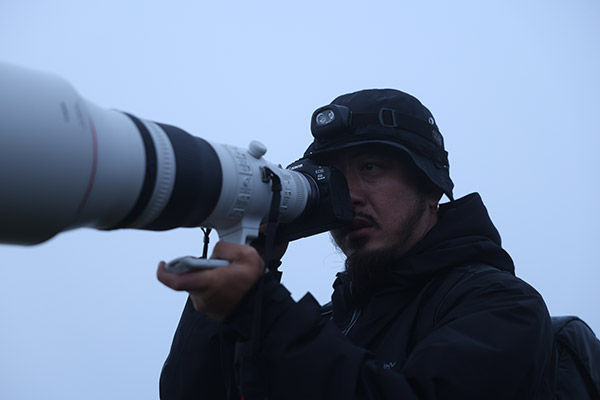
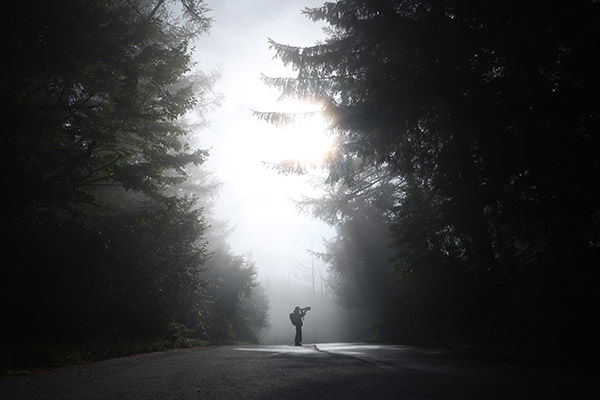
Video
- Internally Recorded 7K Video at Up to 59.94p in 12-bit Canon RAW Light Movie
- Externally Recorded 7K 29.97p ProRes RAW (With Use of a Compatible External Recorder)
Resolution and Colour Depth
If you’re seeking the combination of high-resolution and exceptional colour depth, EOS R6 Mark III features internally recorded 7K video at up to 59.94p in 12-bit Canon RAW Light Movie.
ProRes Raw Files
For those seeking to work with ProRes RAW files, externally recorded 7K 29.97p ProRes RAW recording is available with use of a compatible external recorder.
Open Gate Recording at Up to 7K 29.97p in 10-bit MP4 or 12-bit RAW
3:2 aspect ratio “Open Gate” recording is available at 7K (6912 x 4608 — MP4; and 6960 x 4640 — RAW) and up to 29.97p in 10-bit, XF-HEVC S 4:2:2 and 4:2:0 MP4, or Canon RAW Movie Intra, Light Intra and Long GOP recording.
Why, and What is Open Gate Recording?
Today’s hybrid image makers face immense demands, often requiring social media videos to accompany photos and videos delivered to clients. With Open Gate recording enabled, the camera scans the full-frame, 3:2 aspect ratio image sensor area to record video imagery in the same 3:2 aspect ratio as still images. This allows post-production versatility to reformat the 3:2 ratio imagery to various formats, such as vertical 9:16, 16:9, 1:1, 4:3, or 4:5.
High-Speed Recording at up to 4K 119.8p, or 2K/Full-HD 179.8p
The EOS R6 Mark III camera offers significant video improvements compared to the Mark II, particularly in slow-motion capabilities. It now supports both DCI 4K and UHD 4K, with up to 119.8p frame rate for 5x slow motion in a 23.98p timeline project. Additionally, DCI 2K or Full-HD resolution video is available at 179.8p for up to 7.5x slow motion in a 23.98p timeline. Audio recording is supported for all resolution and frame rate options, except in (S & F) mode.
Versatility for Slow-Mo Video or Fast Motion Time-Lapse
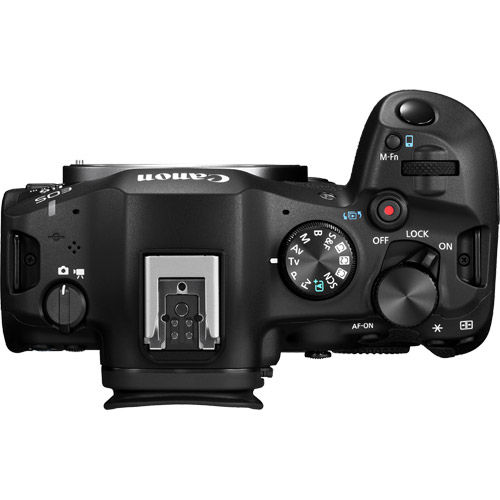
The new Slow and Fast (S & F) Mode on the mode dial offers new UI control over resolution, frame rate, playback speed, and compression. It also provides incremental frame rates for precise recording frame rate tailoring to playback speed. Though audio is disabled, videographers can now embed their frame rate in-camera for easier social media content creation.
Versatility for Slow-Mo Video or Fast Motion Time-Lapse
The new Slow and Fast (S & F) Mode on the mode dial offers new UI control over resolution, frame rate, playback speed, and compression. It also provides incremental frame rates for precise recording frame rate tailoring to playback speed. Though audio is disabled, videographers can now embed their frame rate in-camera for easier social media content creation.
Up-to 4K FINE 59.94p Recording for Highly Detailed Imagery
The Canon EOS Movie – 4K FINE (oversampled) recording mode has become a highly relied upon recording mode enjoyed by the most discerning of videographers. Known for ensuring that sharp and clean video imagery is recorded, video creators will find impressively high-resolution imagery available to them using oversampling to now provide DCI 4K and UHD 4K at up to High Intra-frame recording in XF-AVC S recording format.
Colour Your World with 14 Colour Filters
Add a touch of creative to your imagery with 14 easy to use colour filters. Whether you’re a newcomer to editing or you’re looking to add a convenient colour and tone adjustment, the Colour Filters menu allows you to personalize your JPEG photo and MP4 video imagery to your desire. Simply press the new Colour button, select Colour Filter and start creating.
Custom Picture Menu
Newly added is the Custom Picture menu adding incredible customization potential to your video imagery. Simply press the Colour Button to access Custom Picture menu where there’s access to Canon Log 2, Canon Log 3, HLG, PQ, Canon 709, BT.709 Standard, a host of significant user adjustments, and 14 different user customizable presets.
Canon Log 2 Video with up to 15+ Stops of Dynamic Range
Unlock more of your images' dynamic range potential with Canon Log 2 featuring up to 15+ stops of exposure latitude. Capture your scene’s brightest brights, to darkest darks with the flexibility to colour grade ensuring new levels of video quality.
Apply a Look File (LUT) In-Camera
The EOS R6 Mark III camera just got even more agile. Create videos styled with your signature video LUT using the apply Look file function in the Custom Picture menu. You can register 17-grid, or 33-grid .cube format 3D LUT files created using an NLE application and register them as Custom Picture (CP) files to apply the colour tone and contrast you want for the movies you record. From there you can download your styled videos with your creative LUT already applied.
Camera Usability
Natural 3.69m Dot EVF with OVF View Assist
The EOS R6 Mark III camera features a 0.5-inch, 3.69m dot electronic viewfinder (EVF) providing 100% image coverage, 0.76x magnification, and a 23mm eye point ensuring comfortable viewing and accommodation of eyeglasses.
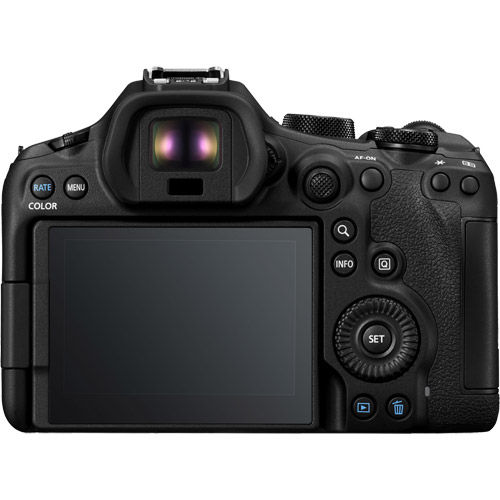
3.0” Vari-Angle LCD Screen
Enjoy compositional freedom with the 3.0” vari-angle LCD screen. Featuring 1.62 million dots of resolution, adjustable brightness, and four different user-selectable colour tones, this touch-screen monitor provides an excellent user interface for you to monitor, select your subject, interact with menus, take photos, start recording, and more.
Monitor Your Exposure With the Same Tools as Found in Cinema EOS Cameras
The EOS R6 Mark III offers various exposure monitoring tools, including Zebra display, False Colour, and Waveform monitor. Zebra display displays specific brightness values with overlay pattern stripes on the image, aiding the camera operator in seeing exposure values of specific areas. The False Colour monitor overlays colour to represent specific exposure levels in the scene. The Waveform monitor shows the entire image’s luminance in graph form.
Special Scene Modes
Easy to use automatic SCN (Special Scene) shooting modes for photos and videos, including Movie for close-up demos, Smooth skin movie, Movie IS, and HDR Movie. Additionally, 14 different SCN modes for still images, including Smooth skin portraits, Group Photo, Panoramic Shot, Panning mode and more.
Convenient and Easy to Use SCN Shooting Modes
If you’re a newcomer to photography or video, no problem! EOS R6 Mark III is Canon’s most advanced mirrorless camera equipped with SCN modes. Enjoy easy to use scene-specific automatic exposure SCN shooting modes for your photos and videos.
SCN Photo Modes
Choose from Portrait, Smooth Skin Portrait, Group Photo, Landscape, Panoramic Shot, Sports, Kids, Panning, Close-up, Food Night Portrait, Handheld Night Scene, HDR Backlight Control, and even Silent Shutter.
Movies
Looking to focus on your videos and not the settings? That’s exactly what SCN modes are for. Enjoy Smooth Skin Movie, Movie for close-up demos, Movie IS mode, and even HDR movies.
Enjoy Improved White Balance Functions
-
Kelvin Temperature Presets
Enjoy four user-selectable Kelvin temperature presets K1–K4, so you can easily access the correct precision value you need.
-
Switch Colour Temperature Custom Button
Customize a button to cycle through K1–K4.
-
Q-Menu Custom White balance
Set a custom white balance in Q-menu without ever having to change modes or press the menu button.
-
Shockless WB
Adjust your white balance and enjoy smooth transitions as the camera adjusts the colour temperature, if WB settings are changed by the user during video recording.
-
AWB Response
Control the response speed of the camera’s adjustment to different changes in lighting in Auto white balance.
-
AWB Lock
This feature temporarily fixes white balance when AWB is set. When the user does not wish to change white balance, the customized button can be pressed to continue shooting without changing colour tone.
Communication Settings
Built for professional use with high-speed 2.4Ghz and 5Ghz Wi-Fi, built-in FTP transfer, faster connection to Canon Camera Connect App, connectivity to frame.io, Adobe Lightroom, Photoshop, Google Drive, Photos and more via image.canon; Save / Load camera and communication settings.
-
Capture. Connect. Share.
Sporting high-speed Wi-Fi connectivity with 2.4 and 5Ghz band support, the EOS R6 Mark III camera enjoys fast data transfers of photos and videos via the Canon Camera Connect app.
-
Stay Connected with Bluetooth
With Bluetooth support, the EOS R6 Mark III camera stays connected and remembers your smartphone so you can easily connect and access your imagery. Handover via Bluetooth Low Energy for easy connection to Camera Connect now supports handover to 5GHz bands.
-
Transfer to FTP Server
For professional photographers looking to transfer their images using more advanced methods, they can use the FTP server function to transfer their imagery to computers, servers, and even network attached storage.
-
Auto Forward Images with image.canon Support
Connect image.canon to your Google Photos, Google Drive, Adobe Photoshop Lightroom, Frame.io or Flickr account and automatically transfer your compatible images and movies.
-
Content Transfer Professional Support
Professional photojournalists working in the field and looking for high speed image transfer to their smartphone can enjoy the Canon Content Transfer Professional app, providing more agility including metadata entry, metadata templates, image filtering, sorting, transfer of photos and videos to FTP/FTPS/SFTP servers and much more.
-
Save / Load Communication Settings
Similar to the EOS R5 Mark II, easily save and load your communication settings for networks you visit regularly.
Record Video with Less Headaches
-
Magnify While Recording
Simply press the magnify button and enlarge the video image to check focus during recording.
-
Check Your Histogram / Waveform
Use the info button to check your exposure.
-
Electronic Level
Use the info button to check you level – gimbal, handheld, no problem.
-
Adjust Audio
Respond to changes in audio with ease while recording your clip.
-
Set Auto Lighting Optimizer
Need to add a lighting enhancement to your clip but already pressed record? No problem; turn on Auto Lighting Optimizer even during recording.
-
Pre Recording
Worried about missing a moment? Pre-recording starts a clip up to 5-seconds before you press the record button perfect for life's unpredictable moments.
-
Auto Level
Equipped with In-Body Image Stabilizer, the auto level function allows the sensor to be leveled to help adjust your scene’s horizons.
-
Focus Breathing Correction
With compatible lenses, enjoy focus breathing correction to improve the look of your recordings when racking focus.
Durable Build
Durability including a 500,000-cycle shutter, that closes at shutdown, Magnesium alloy chassis with polycarbonate resin and heat dissipating structure, and water and dust sealing.
-
Built for a Long Life
The shutter unit found in the EOS R6 Mark III camera has passed 500,000 cycles of durability testing, just as robust as the shutter unit of EOS R5 Mark II.
-
Built for Durability
Underneath the same paint used by the EOS R1, and the polycarbonate resin exterior lies a robust magnesium alloy chassis, providing the EOS R6 Mark III superb rigidity, and durability. Employing a heat dissipating structure that transfers heat from the sensor through a graphite sheet and back plate to the magnesium alloy back cover. This design efficiently dissipates internal heat in movie recording and other uses.
-
Built for Difficult Environments
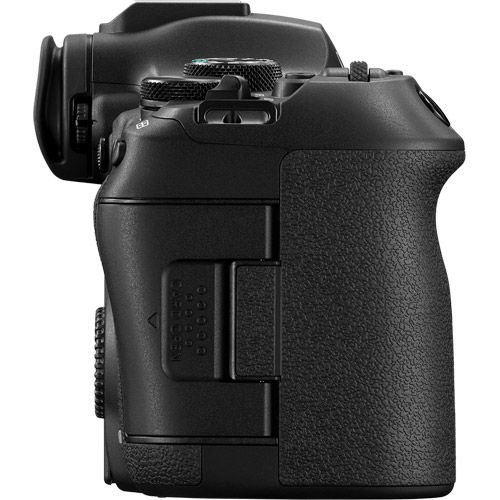
The EOS R6 Mark III camera is designed with dust and water-resistant gasketing at the battery compartment, the card slot access area, and employs high-precision parts near dials and other areas to minimize gaps between parts. These measures help to prevent dust and water droplets from entering the body.
What's Included
EOS R6 Mark III Camera Body
Shoe Cover
Camera Cover R-F-5
Strap ER-EOSR6 MarkIII
Battery Charger LC-E6(JP/US)
2x Battery Packs LP-E6P
Battery Pack Cover
View Kit Components
Reviews
Product Specifications
EOS R6 Mark III |
|
|---|---|
Type |
|
| Type | Digital interchangeable lens mirrorless camera |
|
Image Processor |
(one) DIGIC X |
|
Recording Media |
Card 1: CFexpress Type B (2.0) memory card; 8TB maximum |
|
Compatible Lenses |
Canon RF and RF-S lenses |
|
Lens Mount |
Canon RF mount |
Image Sensor |
|
|
Type |
Canon full-frame CMOS sensor |
|
Effective Pixels |
Approx. 32.5 million pixels |
|
Sensor Size |
Approx. 35.9 x 23.9mm |
|
Pixel Size |
Approx. 5.16µm square |
|
Total Pixels |
Approx. 34.2 million pixels |
|
Aspect Ratio |
3:2 (Horizontal: Vertical) |
|
Colour Filter System |
RBG primary colours |
|
Low-pass Filter |
Installed at front of sensor; non-removeable |
|
Dust Deletion Feature Self Cleaning Sensor Unit |
• Auto cleaning: at Power Off / Enable (at power On – Off) / Disable |
Recording System |
|
|
Recording Format |
DCIF (Design rule for Camera File system 2.0; EXIF 2.31) |
|
Image Format |
Still image format: RAW: Canon RAW / C-RAW Movie image format: RAW |
|
Folder |
Automatically created when card is inserted: |
|
Folder Actions |
Select folder / Create folder / Change folder name |
Folder Name |
|
|
Still Images |
DCF standards compliant |
|
Movies |
XFVC folder: XF-HEVC S / XF-AVC S file formats — CRM folder: RAW video files (.CRM) — REEL_xxxx |
|
News Metadata |
Saved in same location as movie file on card (.XML file) |
White Balance |
|
|
Settings |
Auto (AWB); includes Ambience priority / White priority |
|
White Balance |
Shift Blue / Amber bias: ±9 levels |
Viewfinder |
|
| Type | OLED colour electronic viewfinder / 0.5 inch / approx. 3.96 million dots |
|
Coverage |
Approx. 100% (H x V) |
|
Magnification |
Approx. 0.76x |
|
Eyepoint |
Approx. 23mm (at -1 m-1 from eyepiece end) |
|
Exposure Simulation |
Exposure + Depth-of-field / Exposure / Exposure only during DOF preview |
|
Optical Viewfinder Simulation (OVF simulation view assist) |
(OVF simulation view assist) Available; applies to viewfinder and screen |
|
Grid Display |
Off / 3x3 / 6x4 / 3x3 + diagonal |
LCD Screen |
|
|
Type |
TFT colour, liquid-crystal monitor |
|
Size |
3.0 inch (3:2 aspect ratio); diagonal approx. 1.65 in. / 4.2 cm |
|
Resolution |
Approx. 1.62 million dots |
|
Touch-Screen Operation |
Yes (capacitive sensing) |
|
Vari-Angle Adjustment |
Opening angle: approx. 0 – 175° |
|
Coatings |
Anti-smudge coating (Anti-reflection coating not applied) |
Playback |
|
|
Magnified View (still images) |
1.5x – 10x |
|
AF Point Display (still images) |
Available |
|
Highlight Alert |
Available (blinking highlights) |
|
Auto Rotate |
On (display + computer / On (computer only) / Off |
|
Search (video files only) |
By rating / Date / Folder / Protection / Type of file (1) / Type of file (2) |
|
Ratings Star: |
Off / Star ratings 1 – 5 |
|
Protect Images |
Select images / Select range / All images in folder / Unprotect all images in folder / Unprotect all images on card / All found images / Unprotect all found images |
|
Image Copy (to card in camera) |
Select images / Select range / Selecct folder / All images |
Autofocus |
|
|
Focus Type |
Dual Pixel CMOS AF (from CMOS imaging sensor) |
|
AF Zones for Auto Selection |
Still images: max. 1,053 zones |
|
Selectable AF Point Positions |
Still images: max. 6,097 positions |
|
AF Brightness Range |
Still images: EV -6.5 – 21 |
|
AF Areas |
Spot AF |
|
AF Subject Detection |
Auto |
|
Eye Detect AF |
Auto (camera selects most prominent eye for focusing) |
Exposure Control |
|
|
Metering Modes (stills) |
Evaluative metering (linked to active AF point / Area) |
|
Metering Modes (video) |
Evaluative (only) |
|
Metering Range |
(still images) EV -3 – 20 |
|
Exposure Modes (stills) |
P (Program AE) |
|
SCN (Special Scene Modes; Still Images) |
Portrait / Smooth skin / Group photo / Landscape / Panoramic shot / Sports / Kids / Panning / Close-up / Food / Handheld Night Scene / HDR Backlight Control / Silent shutter |
|
Exposure Modes (video) |
P (Movie auto exposure) |
|
SCN (Special Scene Modes; Video Recording) |
Smooth skin movie / Movie for close-up demos / Movie IS / HDR movies |
|
ISO Speed Range (stills) |
Normal — ISO 100 – 64,000 |
|
ISO Speed Range (video) ISO 100 – 25,600 |
• ISO range varies, depending on Custom Picture and similar settings |
|
Auto ISO Range (stills) |
Minimum: L (ISO 50) or 100 – ISO 51,200 (expandable to ISO 102,400) |
|
Auto ISO Range (video) |
ISO 100 – 25,600 (expandable up to ISO 102,400) |
|
Exposure Compensation |
±0.3 – 3 stops, in 1/3 or 1/2 stop increments |
|
Auto Exposure Bracketing |
±0.3 – 3 stops, in 1/3 or 1/2 stop increments |
|
AE Lock |
Applied automatically: can be user-defined for different metering modes |
Shutter |
|
|
Type |
Electronically-controlled focal-plane shutter |
|
Shutter Modes (stills) |
Electronic 1st-curtain |
|
Shutter Speeds (stills) |
1/8000 – 30 seconds (set in 1/3 or 1/2-stop increments, in M or Tv modes) |
|
X-sync Speed |
Electronic 1st-curtain — 1/250 sec. |
|
Self-timer |
10 sec. / 2 sec. / Continuous |
|
Shutter Type (movies) |
Rolling shutter, using CMOS image sensor |
|
Movie Shutter Speed Range |
1/8000 – slowest speed (based on movie FPS rate) |
|
Shutter Durability |
Tested to 500,000 exposures (Mechanical shutter mode), by Canon engineers |
Drive Modes |
|
|
Drive Modes (still images) |
High speed continuous+ High Speed Continuous Low Speed Continuous |
|
Pre-continuous Shooting (still images) |
Records 20 shots (approx. 0.5 sec.) before shutter button fully pressed |
Image Stabilization |
|
|
Still-image IS |
In-body Image Stabilization (IBIS), using CMOS image sensor |
|
Movie Digital IS |
5-axis digital stabilization, at CMOS image sensor |
External Speedlite |
|
|
Accessory Shoe |
Canon Multi-function accessory shoe |
|
Compatible Speedlites |
Canon EL- and EX-series speedlites |
|
Auto Flash Exposure |
E-TTL only (conventional “off-the-film” TTL not available) |
|
E-TTL Balance |
Ambience priority / Standard / Flash priority |
|
Canon Wireless E-TTL |
RT (radio transmission) only, with compatible Speedlites and RT Transmitters |
|
Flash Exposure Compensation |
± 0.3 – 3 stops, in 1/3 or 1/2-stop increments |
|
Continuous E-TTL Control |
E-TTL each shot / E-TTL for 1st shot |
HDR Shooting |
|
|
HDR shooting (PQ) |
Available |
|
HDR Mode |
Still images: Off / Moving subject / Dynamic range |
|
HDR Movie Mode |
(MP4 movies only) HDR movie created; one exposure for each video frame |
Video Shooting |
|
|
Maximum Recording Times |
Less than 100.0 FPS: maximum 6 hours 00 minutes |
|
Overheating Shut-Down Times (at 73°F / 23°C, internal and external temperatures) |
4K DCI Fine / 59.94 FPS / Standard LGOP — no restrictions |
|
Overheat Warning |
Thermometer icon, and 10-stage analog scale to indicate rising temperatures |
|
Open Gate Recording |
Video recorded from full area of CMOS image sensor |
|
Canon Log Recording |
Canon Log 2 / Canon Log 3 available (in Custom Picture menu) |
|
Custom Picture (CP) |
Canon 709 / Canon Log 2 / Canon Log 3 / PQ / HLG / BT.709 Standard |
|
Video Recording Resolutions, FPS Speeds |
RAW: Standard RAW; Light RAW MP4: 4K (DCI or UHD) to 120 FPS (with sound) MP4 2K (DCI) or Full HD: to 119.9/100.00 FPS (with sound) |
|
Video Recording Formats |
RAW: Canon RAW (.CRM file extension); 12-bit MP4: XF-HEVC S — H.265 / HEVC (YCbCr 4:2:2; 10-bit) |
|
Proxy Movie Recording |
Card 1 (Main movie) — RAW, 4K (DCI or UHD), 2K, or Full HD recording |
|
Main / Sub Recording |
Card 1 (Main movie) — RAW or Light RAW only |
|
S&F (Slow & Fast Recording) |
Recording FPS: 180 – 1.0 FPS |
|
Time-lapse Movie Recording |
Interval between frames: 2 seconds – 99:59:59 |
|
Time Code |
Available |
|
Pre-recording (movies) |
Records 3 or 5 seconds of video, before user begins video recording |
|
Video Displays (viewfinder + screen) |
Grid display / Histogram / Waveform monitor / Zebra display / False colour display / Electronic level / Recording emphasis / Aspect Marker 1 & 2 |
Audio |
|
|
Built-in Microphone |
Stereo mic, on top of camera body (right and left of prism) |
|
External Microphone Terminal |
3.5mm diameter stereo mini-jack (3-pin) |
|
Multi-function Shoe Input |
Compatible with Canon Directional Stereo Microphone DM-E1D |
|
Headphone Terminal |
3.5mm diameter stereo mini jack |
DPOF |
|
|
DPOF Compatibility |
DPOF version 1.1 (Digital Print Order Format) |
|
Print Type |
Standard / Index / Both |
|
Photobook Set-Up |
None |
Support for E.U. RED
|
|
|
Start-up Password |
6-digit password (set by user) required first time camera turned on, or when [Clear Entered Information] is performed in-camera |
Wi-Fi |
|
|
Wi-Fi (Wireless LAN) |
5.0 GHz / 2.4 GHz band |
|
Maximum Link Speed |
5.0 GHz: (IEEE 802.11ac) — 433 Mbps 2.4 GHz: (IEEE 802.11n) — 72 Mbps |
|
Frequency; Channels |
5.0 GHz: 5180 – 5825 MHz; 36 to 165 channels |
|
Wireless LAN Setting Method |
Connect via wizard / Connect via Wi-Fi Protected Setup |
|
Wired LAN |
None |
Bluetooth |
|
|
Version |
Bluetooth Specification Version 5.1 compliant |
|
Transmission Method |
GFSK modulation |
|
Bluetooth Communication Functions |
Canon Camera Connect App / Canon Bluetooth remote controller BR-E1 |
|
Bluetooth Pairing |
Smartphone — up to 10 units; BR-E1 remote controller — 1 unit |
Live Streaming |
|
|
Live Streaming via USB |
Possible via compatible computers, using software on computer and USB cord |
|
Live Streaming Formats |
Video: Motion JPEG compression method; YCC 4:2:2 colour sampling; |
|
Resolution / FPS Rates |
4K 30 FPS; 4K 60 FPS (not available in Smooth skin movie mode); |
External Interface |
|
|
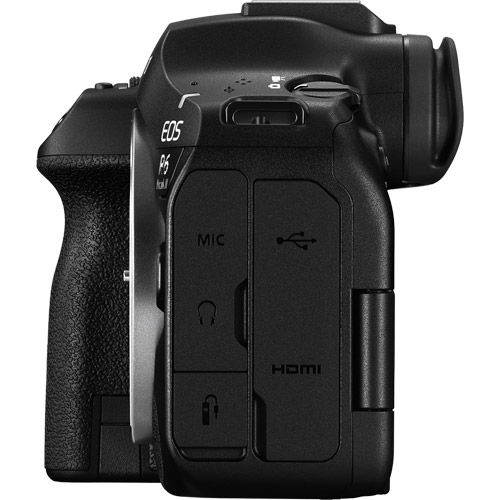
USB Terminal |
USB-C (equivalent to USB 10 Gbps / SuperSpeed Plus USB / USB 3.2 Gen 2) |
|
HDMI Terminal |
Type A size |
|
Remote Control Terminal |
Canon E3 type terminal (single-pin connector into camera |
|
External Mic IN Terminal |
3.5mm diameter stereo mini jack (3-pin) |
|
Headphone Terminal |
3.5mm diameter stereo mini jack |
|
Flash Sync Terminal |
None |
Power Source |
|
|
Battery |
Canon LP-E6P battery pack |
|
Optional Battery Grip |
Canon Battery Grip BG-E20 (optional accessory) |
|
USB Charging |
Canon USB Power Adapter PD-E2 or PD-E1 recommended |
|
USB Power to Camera |
Requires a battery to be installed in-camera |
|
AC Power Supply |
Canon DC Coupler DR-E6P and USB Power Adapter PD-E2 |
|
Number of Shots Available |
Viewfinder shooting: Power saving — 390 shots; Smooth — 270 shots |
|
Video Recording Time Available |
RAW (Light RAW) — approx. 1 hr. 00 min. |
Physical Specs |
|
|
Operating Environment |
32°F – 104°F / 0°C – 40°C |
|
Dimensions: W x H x D |
138.4 x 98.4 x 88.4 mm (5.45 x 3.87 x 3.48") |
|
Weight |
Approx. 699 g (24.66 oz. / 1.54 lbs) |
Questions & Answers
Canon R6 Mark III Mirrorless Camera with Additional LP-E6P Battery
Looking for a personal touch? Not sure if you are choosing the right product? Our staff is here to help.
We want to make sure you get the right product for your needs.
Our staff will help you understand the options available so you can be confident in your purchase.
As the country’s leading Professional Imaging retailer, Vistek is in the perfect position to ensure you make the right choice.
Contact us today for a personal touch.