

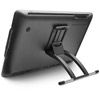
- Webcode: 434224 • Mfr: DTK2260K0A
Product Highlights
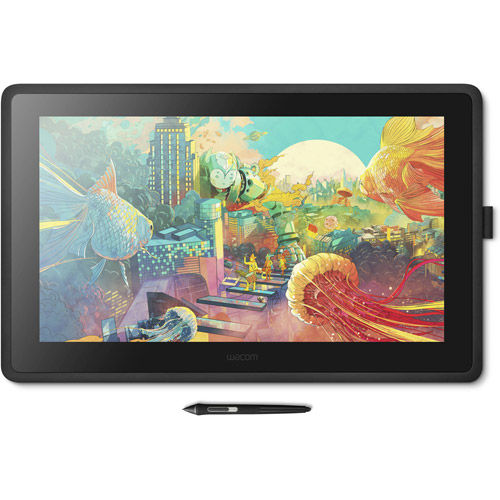
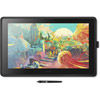
- 54.6 cm (21.5") Graphic Tablet
- Pen Sensitivity
- 1920 x 1080 (Full HD) Resolution
- 476 x 268 mm (18.7 x 10.5") Active Area
- Wacom Pro Pen 2 Pen
- 8192 Levels of Pressure Sensitivity
- 5.6 kg (12.3 lbs) Weight
- 72% NTSC (CIE1931) typical Colour Gamut
- Anti-Glare Film Reduces Glare & Reflections
- Mac & PC Compatible
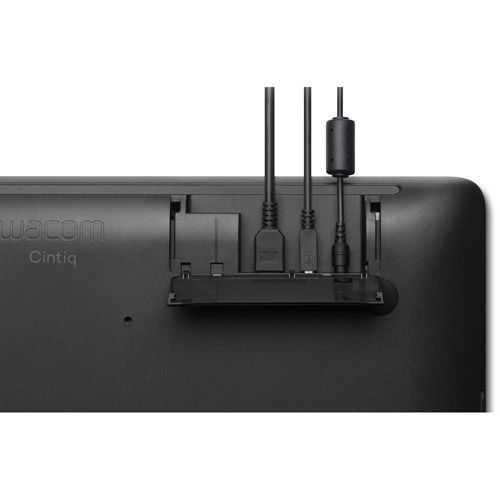
- HDMI & USB-A Connectivity
- Includes Creative Software
Size:
Wacom DTK2260K0A Cintiq 22" Creative Pen Display
Wacom DTK2260K0A Cintiq 22" Creative...- Toronto Special Order
- Ottawa Coming Soon
- Mississauga Coming Soon
- Calgary Coming Soon
- Edmonton Coming Soon
For Québec residents: See our Bill 29 Disclosure at the bottom of this page or click here for more info.
Overview
announcement Includes Creative Software
Purchase and register your Cintiq 22 and receive Clip Studio Paint EX 3-month license & 6-month license to Substance suite
(Substance Painter, Substance Alchemist, Substance Designer, Substance Source: 30 downloads/month)
Wacom Cintiq
Make it on Wacom Cintiq
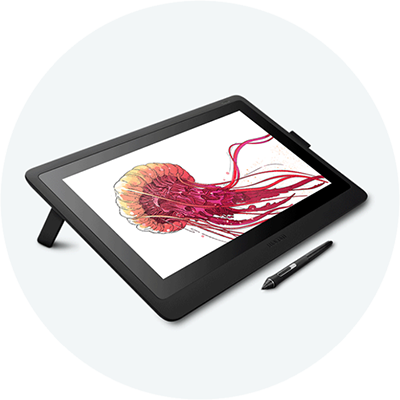
Wacom Cintiq creative pen display is perfectly equipped to help you begin your journey as an illustrator. Vibrant colour, HD clarity and ergonomic design together with the super-responsive Pro Pen 2, offer a truly natural experience and help take your creative ideas to the next level.
Make it directly on screen
Wacom Cintiq combines pen and display for a seamless experience that feels totally natural. Wacom Pro Pen 2 features 8,192 levels of pressure sensitivity and a low activation force, so it recognizes even the lightest pen strokes. It offers amazing precision and control, reacting to the tilt of your hand and accurately responding to each movement, immediately.
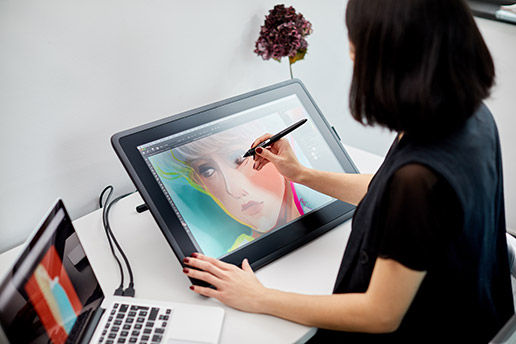
Create in harmony
Wacom Pro Pen 2 and Wacom Cintiq displays (available in 15.6” or 21.5”) work together to make your creative session productive and comfortable. The screen has an anti-glare film, preventing any distracting reflections. The full HD display provides great clarity, so you can see every detail on screen.
The reduced parallax also gives you full control, so your cursor is where you expect to be. All this combines to make drawing on Wacom Cintiq feel as natural as drawing on paper.
A display that’s built for creativity
Wacom Pro Pen 2 and Cintiq’s 15.6" slimline display work together to make your creative session comfortable and productive.
- Avoid distracting reflections as you work – thanks to an anti-glare film.
- See your cursor appear exactly where you would expect with reduced parallax.
- Rely on Wacom Cintiq project after project – thanks to durable, scratch resistant materials.
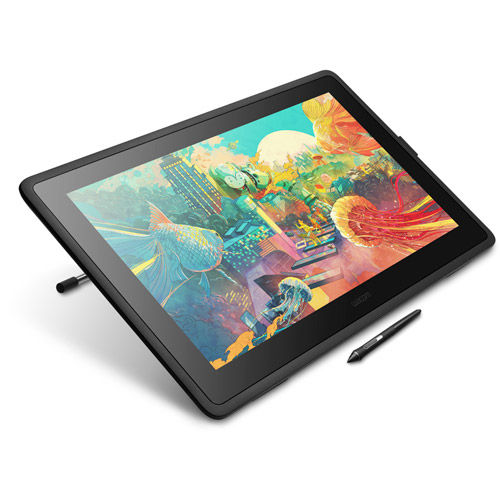
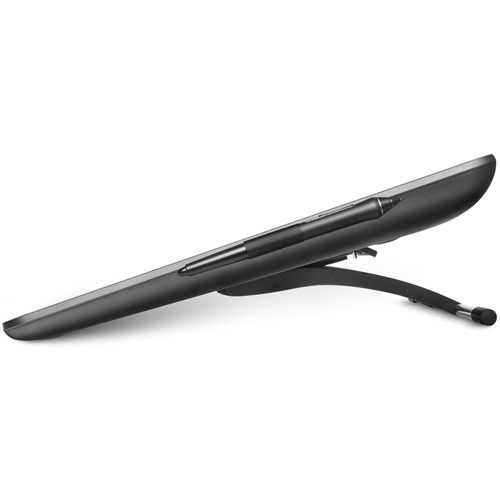
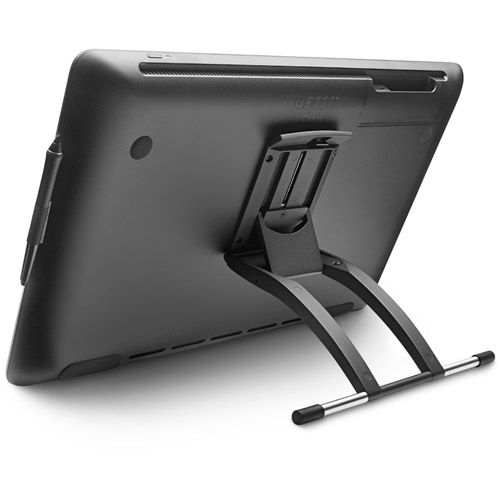
- Get into the perfect position – a pair of foldable legs let you adjust how you want to create. An optional stand gives you even more flexible and ergonomic positions.
- See every detail of your work – the 1920 x 1080 full HD display gives you all the clarity you need.
- Customize how you work even further – Wacom Cintiq is compatible with the full range of accessory pens in the Wacom range.
A pen that lets you go further
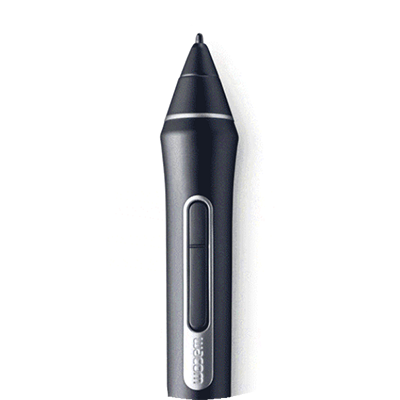
Wacom Pro Pen 2 looks and feels like a regular pen so you don’t need to learn any new techniques before you start to bring your ideas to life.
- Wacom Pro Pen 2 offers precision and control – with 8,192 levels of pressure sensitivity, low activation force and tilt recognition.
- Never need to charge the pen – EMR (Electro Magnetic Resonance) technology draws power from your Wacom Cintiq.
- Comfortable in your hand – weight-balanced, rubber grip and easy reach of the two side buttons.
- Get easy access to your favourite software’s shortcuts – with the pen’s programmable side buttons.
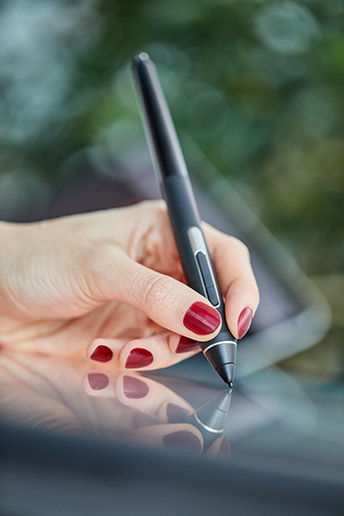
Fully charged
Unlimited creativity
With EMR (Electro Magnetic Resonance) technology Wacom Pro Pen 2 will keep going as long as you do. It draws power from your Wacom Cintiq – so it requires no batteries or recharging. Plus, the pen has been precisely designed so that the balance of weight, rubber grip and position of the buttons make it comfortable to use.
Incredibly precise
Made to move with you
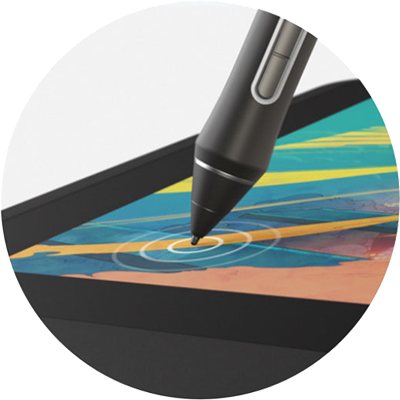
Wacom Pro Pen 2 reacts to the tilt of your hand and immediately responds as you move, capturing every stroke of your pen. With reduced parallax, your cursor appears exactly where you want it.
This level of accuracy combined with the anti-glare screen means that drawing, sketching and painting feels seamless.
Super responsive
The right kind of pressure
With 8,192 levels of pressure sensitivity and a low activation force, Wacom Pro Pen 2 recognizes light pen strokes. Giving you the control you need, whatever the project.
What's Included
Cintiq 22 Pen displayPro Pen 2
Detachable Pen Holder with 3 Replacement Nibs (standard)
Nib Removal Tool
3-in-1 Cable
AC Adaptor
Power Cable (1.8m)
Quick Start Guide
Creative Software
For Québec Residents – Disclosure Under the Consumer Protection Act
In compliance with Bill 29, Vistek does not guarantee the availability of replacement parts, repair services, or maintenance or repair information for products sold by Vistek.
Coverage provided through applicable manufacturer warranties, if any, remains in effect. Customers are encouraged to contact the manufacturer directly for information regarding the availability of replacement parts, repair services, or maintenance information.
Reviews
Product Specifications
Cintiq |
|
|---|---|
| Product type | Creative Pen Display |
| Model | Wacom Cintiq 16: DTK1660 Wacom Cintiq 22: DTK2260 |
| Dimensions (L x W x H) | Wacom Cintiq 16: 422 x 285 x 25 mm (16.6 x 11.2 x 1") Wacom Cintiq 22: 570 x 359 x 40 mm (22.4 x 14.1 x 1.6") |
| Weight | Wacom Cintiq 16: 1.9kg without optional stand Wacom Cintiq 22: 5.6kg without stand |
| Productivity Boosters |
|
| Stand Adjustability | Wacom Cintiq 16: 19 degrees using built-in, fold-out legs Wacom Cintiq 22: 16-82 degrees using included Wacom Adjustable Stand |
| Power Supply Input | 100 to 240 VAC, 50/60HZ |
| Power Supply Output | Wacom Cintiq 16: 12 VDC, 3A (max) Wacom Cintiq 22: 12 VDC, 5A (max) |
| Security | Kensington® Lock Port (lock purchased separately) |
| Warranty | 1 year in USA, Canada, Latin America, Japan, Asia Pacific and China 2 years in Europe, Middle East and Africa |
Pen & Touch Display Technology |
|
| Screen Size (measured diagonally) | Wacom Cintiq: 16: 15.6 in / 40 cm Wacom Cintiq: 22: 21.5 in / 55 cm |
| Display Resolution | 1920 x 1080 (Full HD) |
| Display Technology | IPS |
| Color Depth | 16.7 million (8 bits) |
| Aspect Ratio | 16:9 |
| Viewing Angle | Wacom Cintiq 16: 176/176 degrees (typ) Wacom Cintiq 22: 178/178 degrees (typ) |
| Contrast Ratio | 1000:1 (typ) |
| Brightness | 210 cd/m2 (typ) |
| Response Time | Wacom Cintiq: 16: 25ms Wacom Cintiq: 22: 22ms |
| Active Area | Wacom Cintiq: 16: 344 x 194 mm / 13.6 x 7.6 in Wacom Cintiq: 22: 476 x 268 mm / 18.7 x 10.5 in |
| Color Gamut Coverage Ratio | 72% NTSC (CIE1931) (typ) 96% sRGB (CIE1931) (typ) |
| Multi-Touch | Multi-Touch |
| Pen Type | Pressure-sensitive, cordless, battery-free |
| Pen Technology | Patented electromagnetic resonance technology |
| Pen Name | Wacom Pro Pen 2 |
| Pen Pressure Levels | 8192 levels (pen and eraser) |
| Pen Tilt Supported | 60 degrees |
| Number of switches | 2 side switches |
| Pen Resolution | 5080 lpi |
Compatibility & Connectivity |
|
| Hardware Requirements | HDMI port and standard USB-A port |
| Ports Included | Wacom Cintiq 16:
|
| System requirements | Windows® 7 or later (latest service pack/build), OS X 10.12 or later (latest update); Internet access for driver download |
Questions & Answers
Wacom DTK2260K0A Cintiq 22" Creative Pen Display
Looking for a personal touch? Not sure if you are choosing the right product? Our staff is here to help.
We want to make sure you get the right product for your needs.
Our staff will help you understand the options available so you can be confident in your purchase.
As the country’s leading Professional Imaging retailer, Vistek is in the perfect position to ensure you make the right choice.
Contact us today for a personal touch.