

- Webcode: 445724 • Mfr: Q23-ABBP
Product Highlights
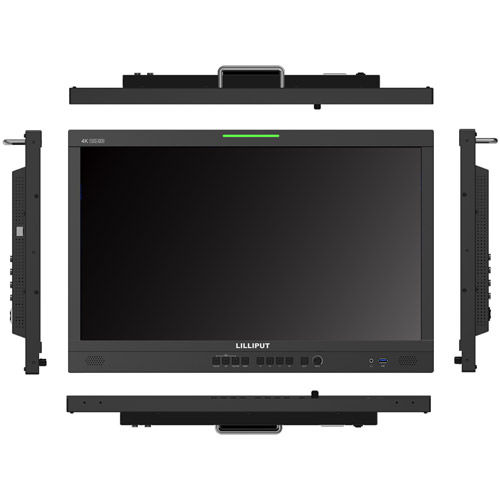
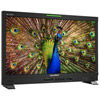
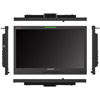
- 23.8" Broadcast Studio Monitor
- 3840 x 2160 Max. Resolution
- 300 cd/m² Brightness
- 2x 12G-SDI / HDMI 2.0 Video Input / Output
- 1000:1 Contrast Ratio
- 12-24 VDC Voltage
- 178° View Angle
- Gold Mount
Lilliput 23.8" 12G-SDI/HDMI Broadcast Studio Monitor
Lilliput 23.8" 12G-SDI/HDMI Broadcast S...- Toronto Special Order
- Ottawa Special Order
- Mississauga Special Order
- Calgary Special Order
- Edmonton Special Order
For Québec residents: See our Bill 29 Disclosure at the bottom of this page or click here for more info.
Overview
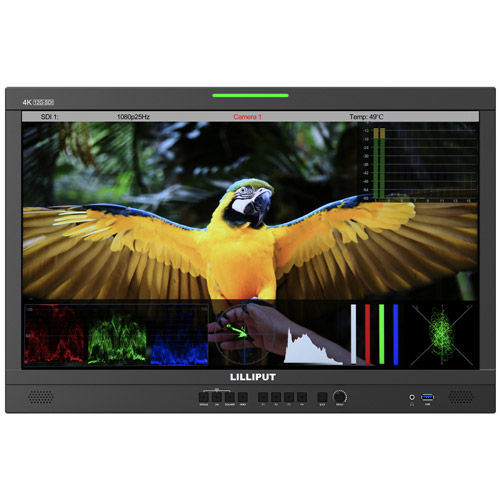
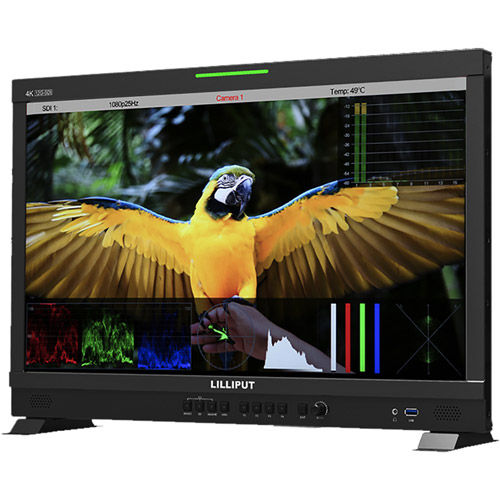
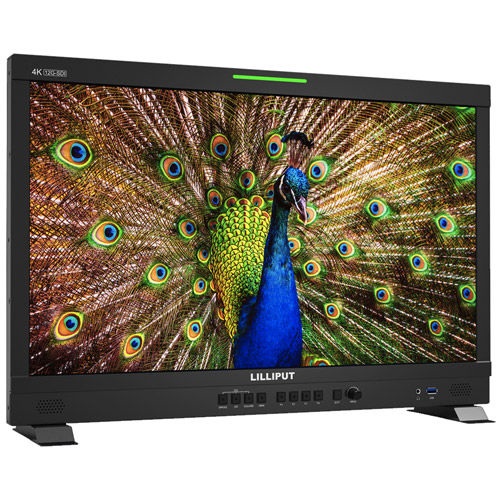
23.8" 12G-SDI / HDMI Broadcast Studio Monitor
12G-SDI / 4K HDMI Signal
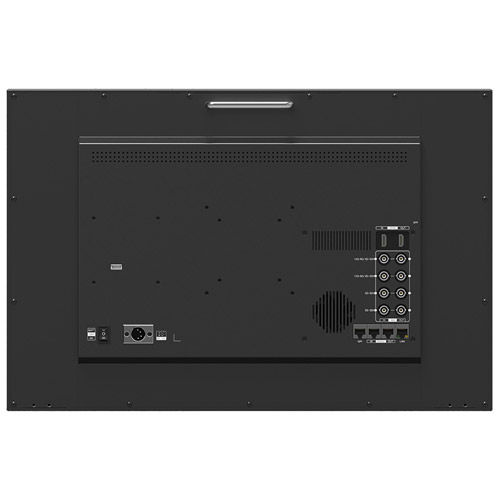
12G-SDI, 4K HDMI, 12G SFP+ and other signal transmission methods are integrated into this display to avoid being lost in the choice question for video signals.
Key Features:
- 4K 3840 x 2160 Resolution
- 12G-SDI / 12G-SFP / 4KHDMI Video input/output
- HDR 3D-LUT
- Remote Control
Accurate Colour Calibration
A specific calibration to reproduce the colours of the image colour space. Colour calibration supports the PROLITE version of LightSpace CMS by Light Illusion.
Remote Control Application
Connect your computer to control the monitor via applications. The interfaces of RS422 In & RS422 Out can realize synchronization control of multiple monitors.
LAN / RS422
Select an appropriate port from LAN or RS422 to connect to the user's operating interface allowing the application to identify the monitor before control.
Picture
Brightness, contrast, saturation, tint, sharpness, backlight and colour temperature can be controlled in this pattern.
Source
Switch between four different SDI signals and single HDMI signal.
Marker
Skip the complex menu options and select necessary marker directly.
Audio
Any audio channel can be matched and control level meter and audio vector.
Function
Includes waveform, histogram and other features in this pattern.
UMD
Control the colour of Tally, as well as the text format of the UMD.
Waveform
Quickly and easily check under or over exposure as well as colour and white balance issues on pictures.
Histogram
A display that indicates how many of the pixels in a photo are at that given level of brightness.
False Colour
An image that depicts an object in colours that differ from those a photograph (a true-colour image) would show. Supports ARRI, RED False colour.
User Markers
Adjusting the lines of four directions to shape any type of safety marker it can also weaken the sense of existence of the image outside the marker.
Peaking Focus
It highlights the areas that are in focus so you are able to quickly focus the camera and not miss crucial shots.
Exposure
Areas of the image over a certain threshold are filled with a striped pattern to dramatically highlight areas where too much light is falling on the image sensor.
Check Field
When enabled, hue and saturation can be adjusted quickly and accurately especially in broadcast area display.
Aspect Ratio
Provides a wide variety of aspect ratio to match different camera anamorphic lenses.
Zoom
Zoom in and out by adjusting the horizontal and vertical axis of the screen position.
Camera Auxiliary Functions
Provides plenty of auxiliary functions for taking photos and making movies, such as peaking, false colour and audio level meter.
Easy to Use
F1~F4 user-definable buttons to custom auxiliary functions as shortcut, such as peaking, underscan and checkfield. Use the Dial to select and adjust the value among of sharpness, saturation, tint & volume etc.
For Québec Residents – Disclosure Under the Consumer Protection Act
In compliance with Bill 29, Vistek does not guarantee the availability of replacement parts, repair services, or maintenance or repair information for products sold by Vistek.
Coverage provided through applicable manufacturer warranties, if any, remains in effect. Customers are encouraged to contact the manufacturer directly for information regarding the availability of replacement parts, repair services, or maintenance information.
Reviews
Product Specifications
23.8" 12G-SDI / HDMI Broadcast Studio Monitor |
|
|---|---|
Display |
|
| Panel | 23.8″ |
| Physical Resolution | 3840*2160 |
| Aspect Ratio | 16:9 |
| Brightness | 300 cd/m² |
| Contrast | 1000:1 |
| Viewing Angle | 178°/178°(H/V) |
| HDR | ST2084 300/1000/10000/HLG |
| Supported Log Formats | SLog2 / SLog3 / CLog / NLog / ArriLog / JLog or User… |
| Look up Table(LUT)support | 3D LUT (.cube format) |
| Technology | Calibration to Rec.709 with optional calibration unit |
Video Input |
|
| SDI | 2×12G, 2×3G (Supported 4K-SDI Formats Single/Dual/Quad Link) |
| SFP | 1×12G SFP+(Fiber module for optional) |
| HDMI | 1×HDMI 2.0 |
Video Loop Output |
|
| SDI | 2×12G, 2×3G (Supported 4K-SDI Formats Single/Dual/Quad Link) |
| HDMI | 1×HDMI 2.0 |
Supported Formats |
|
| SDI | 2160p 24/25/30/50/60, 1080p 24/25/30/50/60, 1080pSF 24/25/30, 1080i 50/60, 720p 50/60… |
| SFP | 2160p 24/25/30/50/60, 1080p 24/25/30/50/60, 1080pSF 24/25/30, 1080i 50/60, 720p 50/60… |
| HDMI | 2160p 24/25/30/50/60, 1080p 24/25/30/50/60, 1080i 50/60, 720p 50/60… |
Audio In/Out (48 kHz PCM Audio) |
|
| SDI | 16ch 48kHz 24-bit |
| HDMI | 8ch 24-bit |
| Ear Jack | 3.5mm |
| Built-in Speakers | 2 |
Remote Control |
|
| RS422 | In/Out |
| GPI | 1 |
| LAN | 1 |
Power |
|
| Input Voltage | DC 12-24V |
| Power Consumption | ≤65W (15V) |
| Compatible Batteries | V-Lock or Anton Bauer Mount |
| Input Voltage(battery) | 14.8V nominal |
Environment |
|
| Operating Temperature | 0℃~40℃ |
| Storage Temperature | -20℃~60℃ |
Other |
|
| Dimensions | 56.7 x 37.6 x 4.5 cm (22.3 x 14.8 x 1.7") |
| Weight | 7.4 kg (16.3 lbs) |
Questions & Answers
Lilliput 23.8" 12G-SDI/HDMI Broadcast Studio Monitor
Looking for a personal touch? Not sure if you are choosing the right product? Our staff is here to help.
We want to make sure you get the right product for your needs.
Our staff will help you understand the options available so you can be confident in your purchase.
As the country’s leading Professional Imaging retailer, Vistek is in the perfect position to ensure you make the right choice.
Contact us today for a personal touch.